TD Easy Trade: $150 Bonus … Free Money Waiting For You:
Last updated:
This article is general information, not financial advice. Rates, limits and offers change, so confirm current details with the source or a licensed professional.
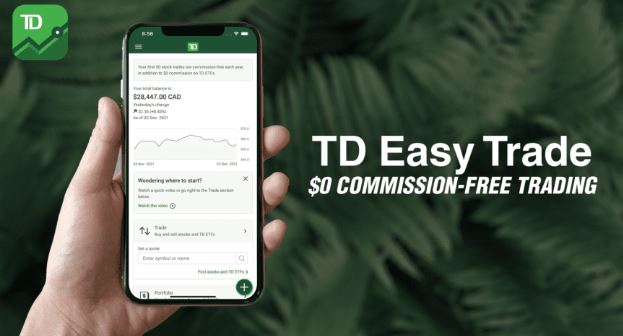
Update: The GETSTARTED bonus described below ended in 2023 and no longer works. The sign-up steps still show how the account is opened, but check TD’s Easy Trade page for any current offer.
Let me cut to the chase and tell you upfront the code to get a $150 bonus for signing up with TD Easy Trade is ‘GETSTARTED’ and is valid till March 1st, 2023. You’ll have two ways to earn a bonus with this code, open an account and two you could set up an automatic transfer into this account from your personal TD chequing or savings account which will trigger a second bonus. Feel free to skip to the bottom and I’ve outlined my personal ‘pros’ and ‘cons’ of Easy Trade and I’ll tell you if I’d recommend signing up for it.
TD Easy Trade Contact Phone # 1-877-250-2588
Website to register for an account: https://www.td.com/ca/en/investing/direct-investing/services/easytrade
Earnable Bonus: Open a TD Easy Trade Account with $500 by March 1st, 2023 and maintain the balance till June 30th, 2023 to receive $100. To get an incremental $50 set up a monthly contribution plan or pre-authorized transfer by April 30th, 2023 of $100/month to receive another $50 Bonus payout. So in total TD Easy Trade offers $150 for your new account. The payout will happen by August 31st, 2023 so we suggest keeping the balances and auto-transfer in place till then to ensure you receive the bonus payout.
Here are some screenshots to open the account
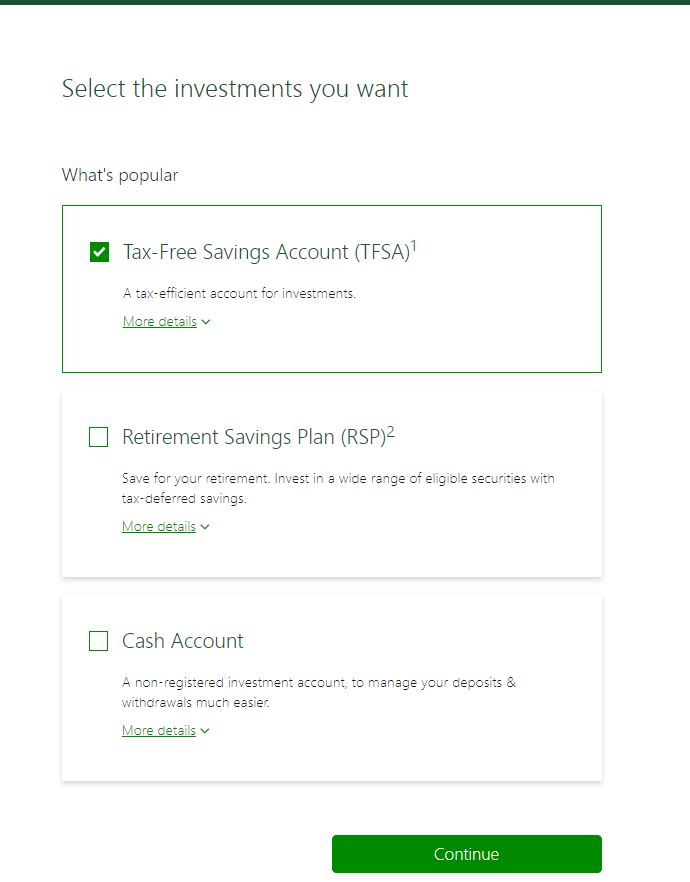
Step 1: read the details and click continue…
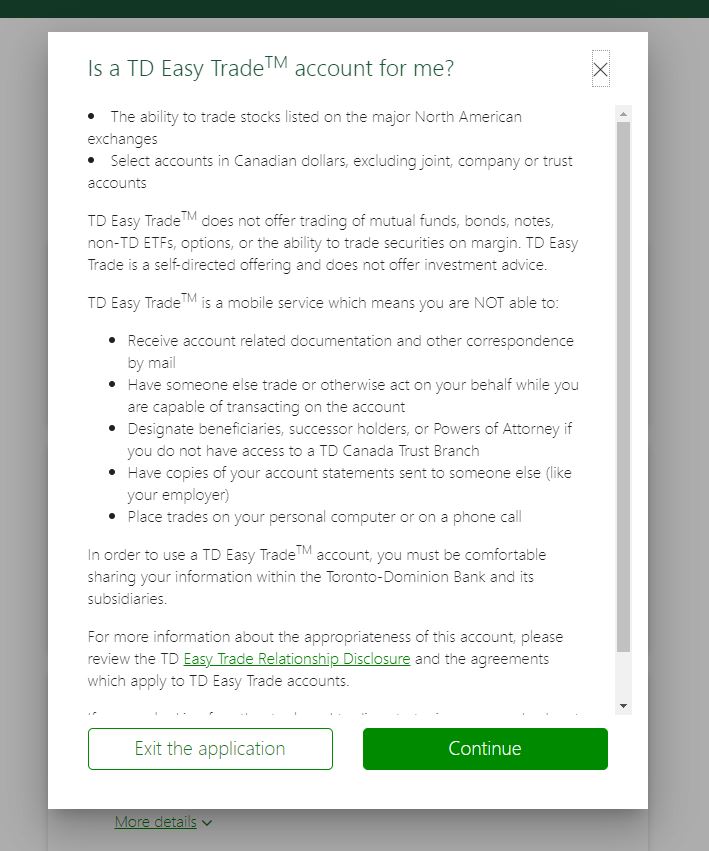
Step 2: pick the type of investment account you’d like to open from the three available
- Tax-Free Savings Account (TFSA)
- Retirement Savings Plan (RSP)
- Cash Account
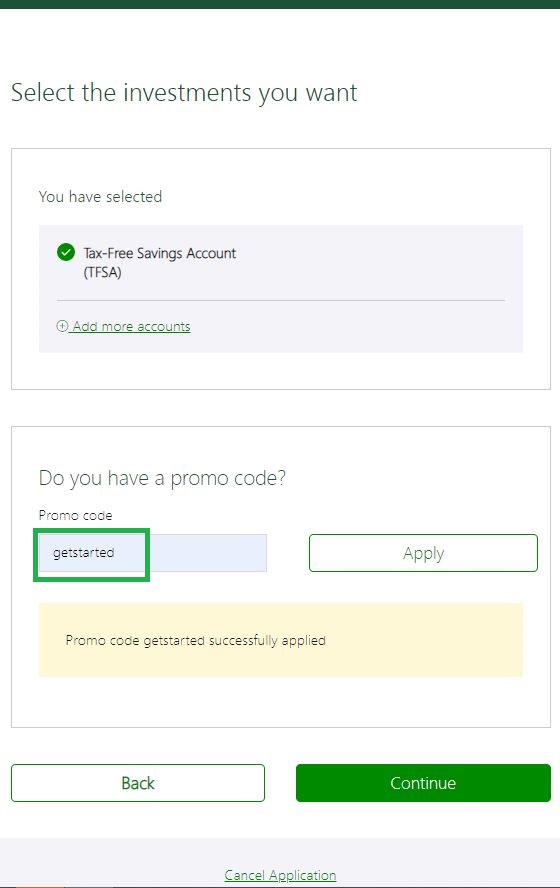
Step 3: Enter the promo code “GETSTARTED” and click ‘apply’ and continue
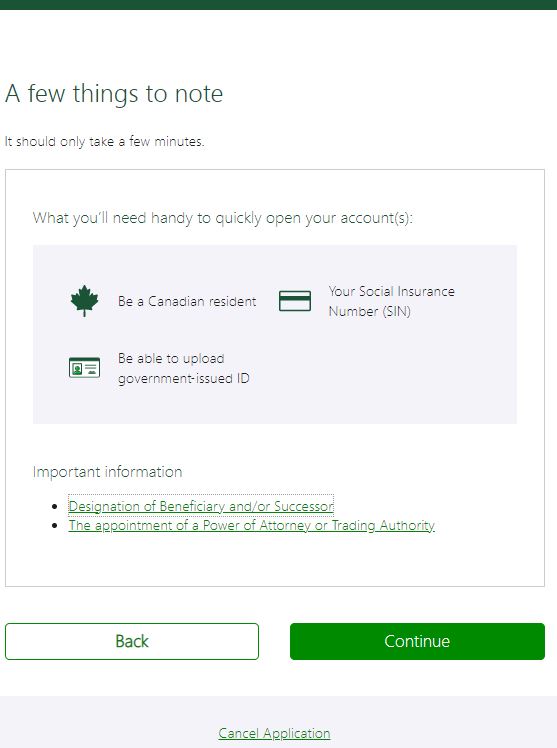
Step 4: You’ll need a few things to get going:
- Be a Canadian resident
- Your Social Insurance Number (SIN #)
- Be able to upload government-issued ID (like a driver’s licence, passport, etc.)
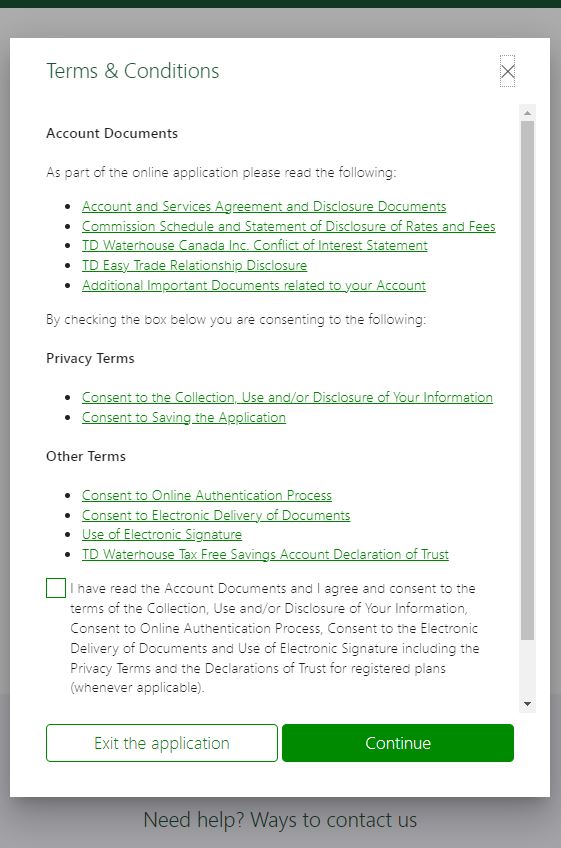
Step 5: Read the ‘Terms & Conditions’ (Does anyone actually read this? LOL …. You probably should!)
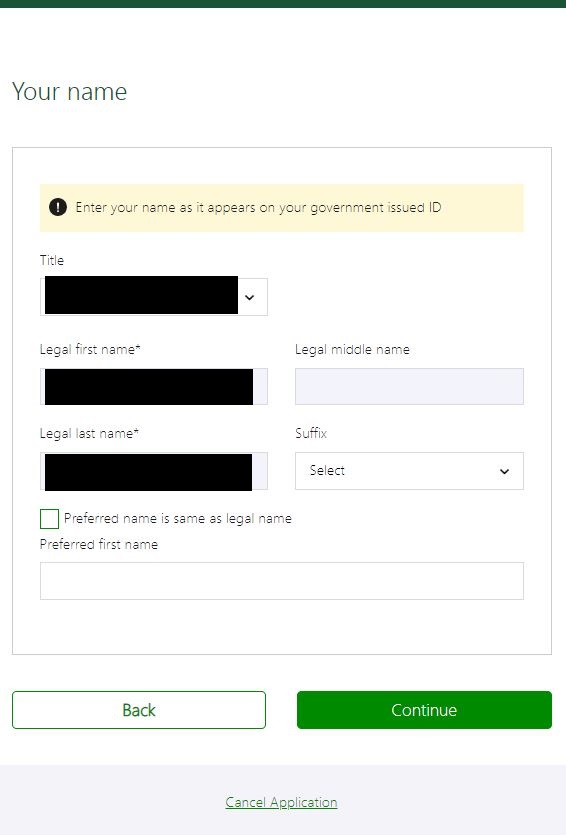
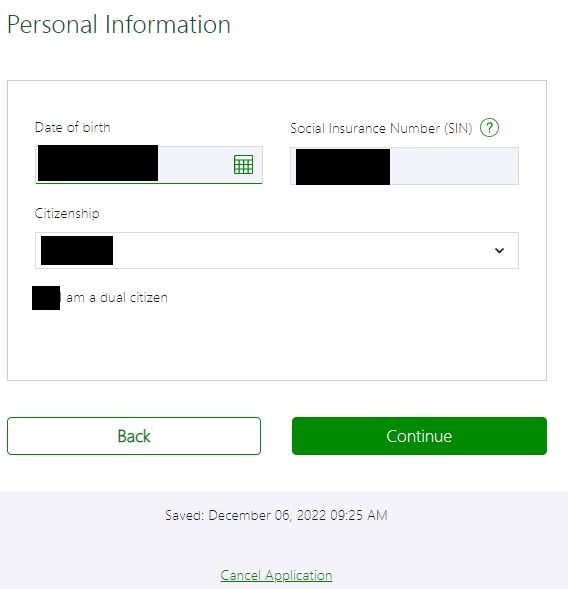
Step 6: Enter your personal details as you can see below …
Step 7: Enter more personal details …
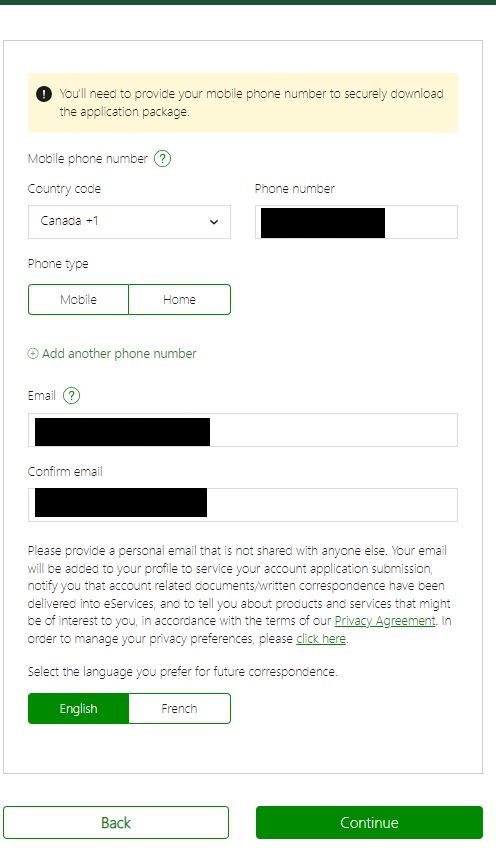
Step 8: Enter your contact information …
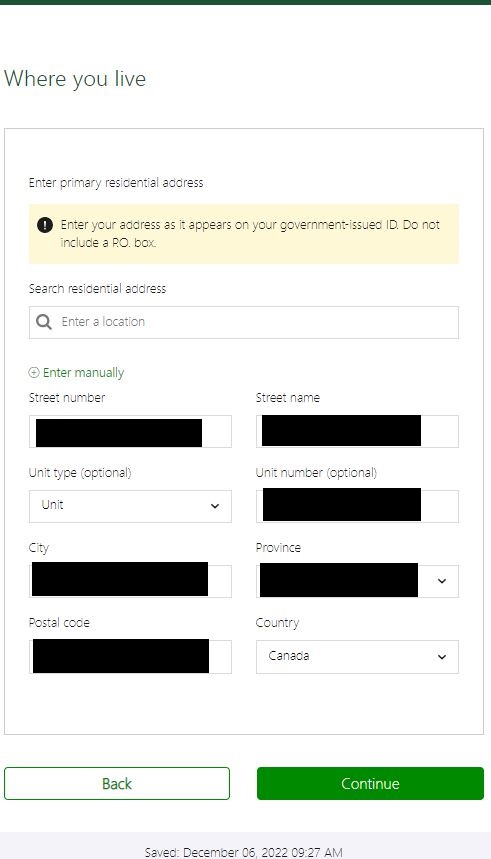
Step 9: Enter your residential address …
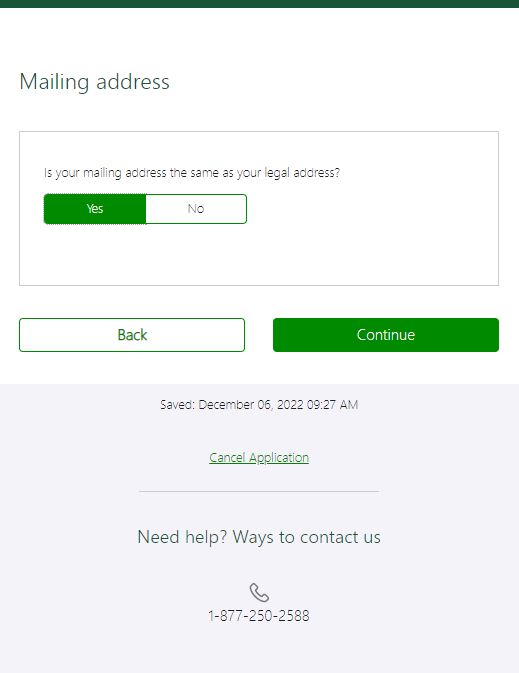
Step 10: Confirm your mailing address …
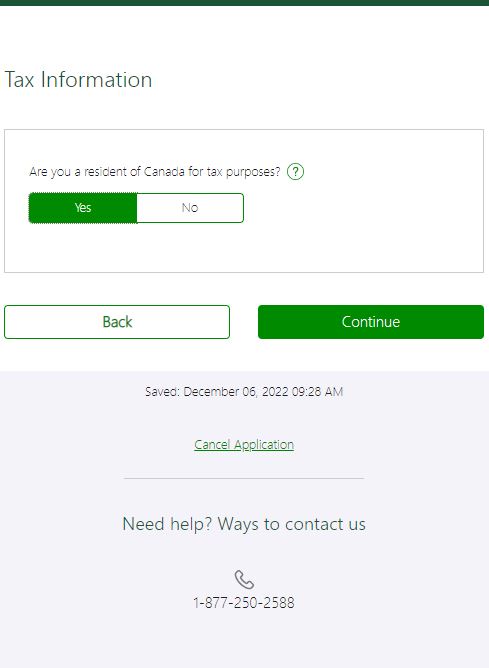
Step 11: Now onto them collecting tax-related information … (so you know … the tax man can collect from you) …
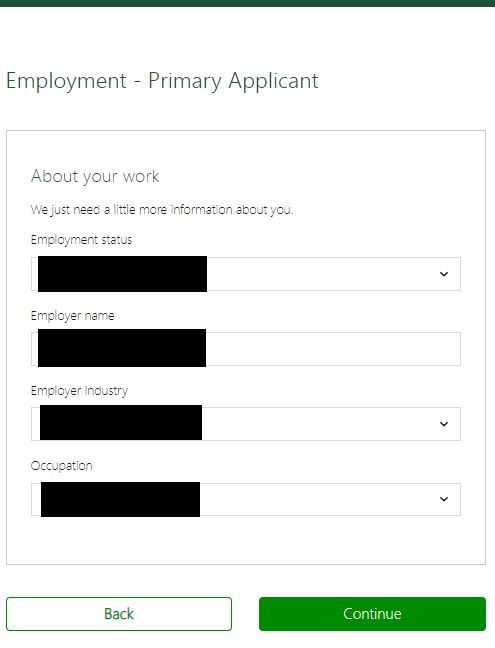
Step 12: Enter your employment information …
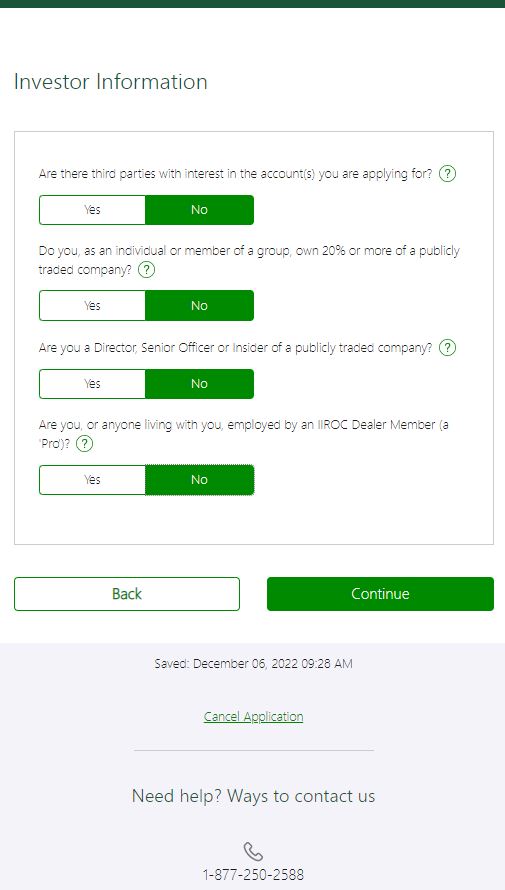
Step 13: Confirm some investor information …
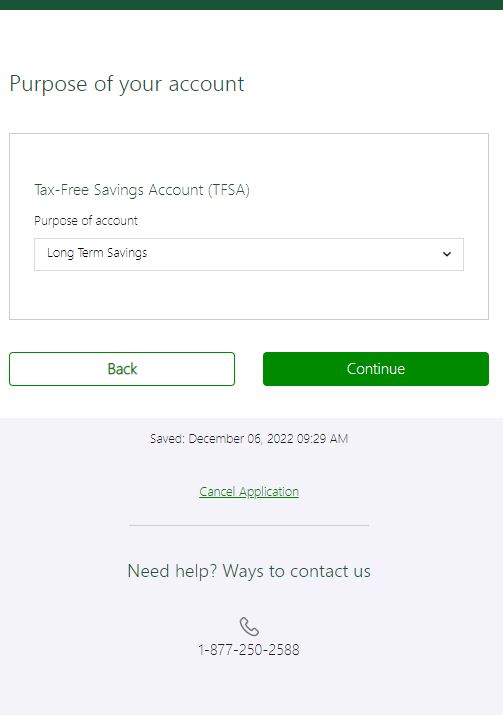
Step 14: Let them know the purpose of the TFSA, Cash or RRSP account …
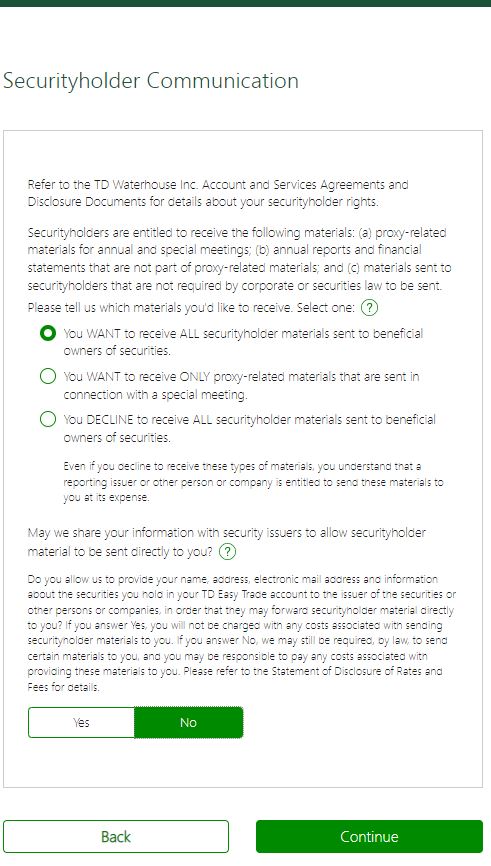
Step 15: Confirm Securityholder Communication … in other words how companies you’ve invested in can get a hold of you … I promise we’re almost done …
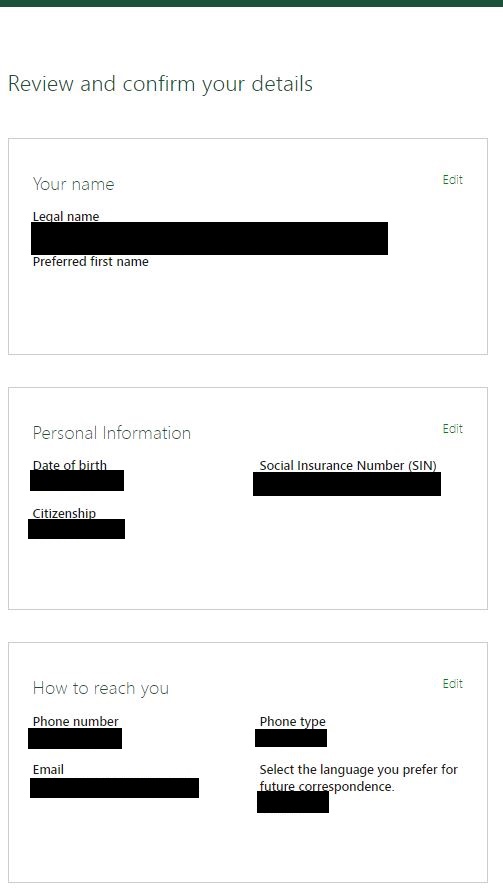
Step 16: Review your details and make sure you got it right … and if you made a mistake with your own information shame on you LOL …
Step 17: It’s not visible but you’ll need to E-sign and ‘Submit’ your application
… and once you’re done all of that you’re good to go and have a refreshing beverage … in the meantime expect a few email documents and within the next 24-48 hours your account will be active and you’ll be ready to trade.
Now that you’ve made it this far congratulation, as a bonus let’s talk about three pros and three cons of TD Easy Trade
TD Easy Trade Pros: 1) easy and basic interface to trade on 2) you can open up multiple TFSA, RRSP or Cash accounts and 3) if you already bank with TD these Easy Trade accounts will show up when you log into Easy Web so you have everything under one login for high-level reviews.
TD Easy Trade Cons: 1) you only get 50 trades per calendar year 2) you can’t buy ETFs (besides the ones managed by TD) and 3) doesn’t have much in terms of advanced trading functions … BONUS Con, in order to set up an auto-transfer you’ll need to call in – the app doesn’t have the functionality which is disappointing, to say the least.
Would I recommend TD Easy Trade? No!!! Yes, I use it, Yes, I’ve set up a few accounts, Yes, I like TD as a bank, however for someone with some experience TD Direct Investing or even a competitive product like Wealthsimple Trade would be a better option. That being said there are two reasons this might be ok for you, 1) if you’re just starting your investing journey … use this as a starting point and once you’re comfortable upgrade to TD Direct Investing or any of the other online brokerages … but as one of their tagline reads “The trading app designed for beginners” like literally, it is because experienced traders would find this app disappointing or 2) if you’re like me and use these accounts as a future savings/investing vehicle … for instance, I opened one up where I save for vacations and instead of just letting my money sit there I have them invested into relatively save blue chip or higher quality dividend paying stocks such as TD, Telus, Fortis and so forth but I also like seeing my all my accounts when I log into TD Easy Web. Now in the future if they improved the functionality of the app sure I’d trade with it more but at this point for basic investing only.
Does TD Easy Trade cost money? Your first 50 trades are free, after which it’ll cost you $9.99 per trade from my understanding.
TD Easy Trade Contact Phone # 1-877-250-2588
Website to register for an account: https://www.td.com/ca/en/investing/direct-investing/services/easytrade
Download the App for: Apple (Click Here)or Android (Click Here)
Hope this small article helps you and good luck in your investing journey!
Did you find this blog post insightful? If yes please share it directly with someone else, a friend, a family member or anyone who you think could also benefit from it. Thank you for your time and till the next blog drops goodbye and wishing you financial growth.
P.S. I should mention TD Easy Trade is nested under TD Direct Investing – so consider it a division of TD Direct Investing minus the bells and whistles TD Direct Investing’s platform offers for advanced traders.
Disclaimer: This is not an AD and HOA did not get paid to write this article by either TD nor Wealthsimple.
Thank you for reading to the end … here’s a borrowed meme to keep you smiling!